Job Board And Filter: The Job Board & Advanced Filter module is a flexible and modern solution to showcase career opportunities in a clean, engaging way.
It supports both filter-based and simple layouts, allowing you to customize the experience based on your website needs.
Users can easily browse jobs using dynamic filters like department, job type, location, and experience, with instant results and no page reloads.
The module is fully responsive and features a flexible grid system with 2, 3, or 4 column layouts for better visual control.
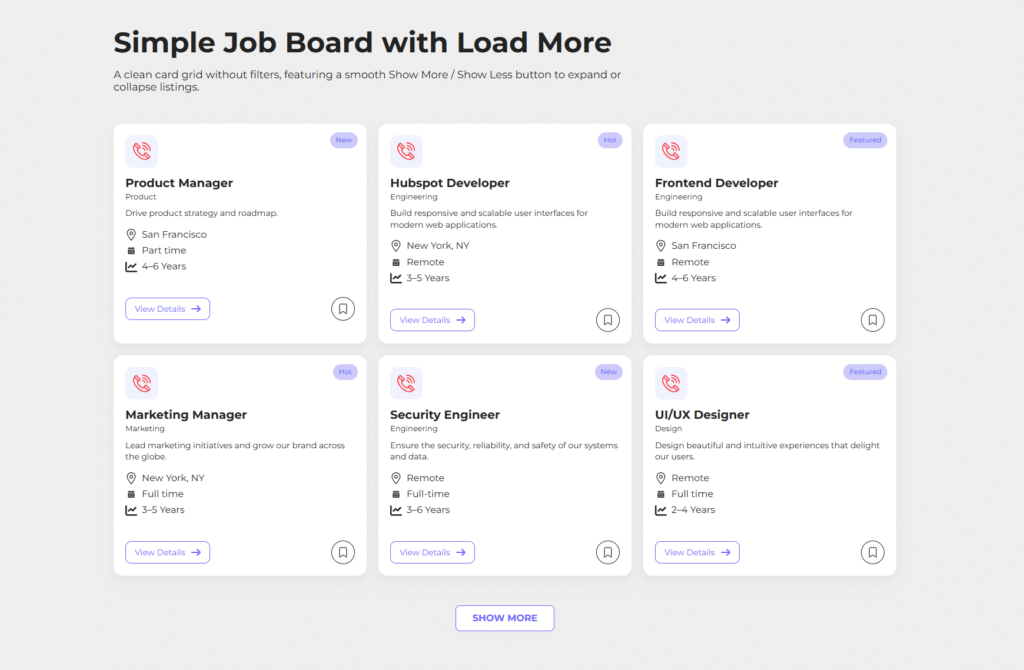
Each job card is designed to clearly display key details, while badges, hover effects, and smooth animations enhance user engagement.
The built-in Save Job feature allows users to bookmark listings, improving interaction and usability.
With dynamic dropdown filters, reset functionality with loader animation, and pagination or load more options, the module ensures a smooth and scalable browsing experience.
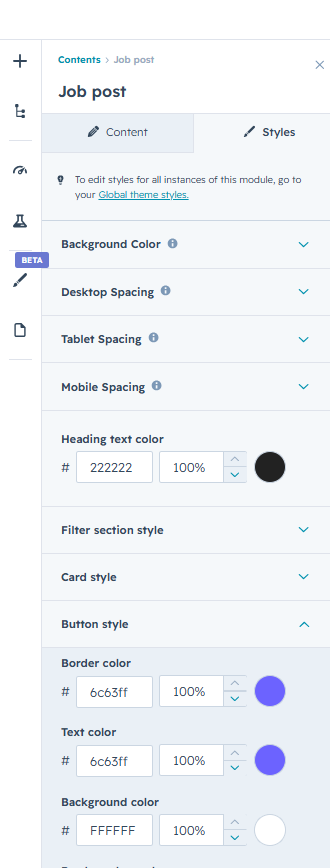
All styles including colors, typography, and spacing can be easily customized from HubSpot settings, making it simple to match your brand without any coding.
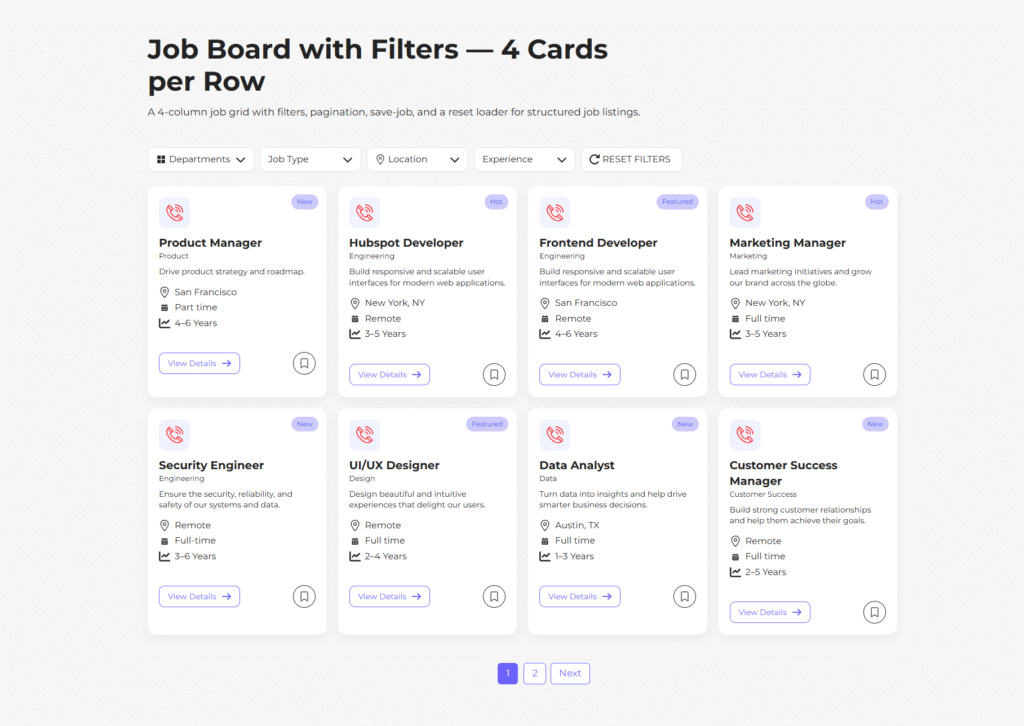
First Layout
Job Board with Filters — 4 Cards per Row
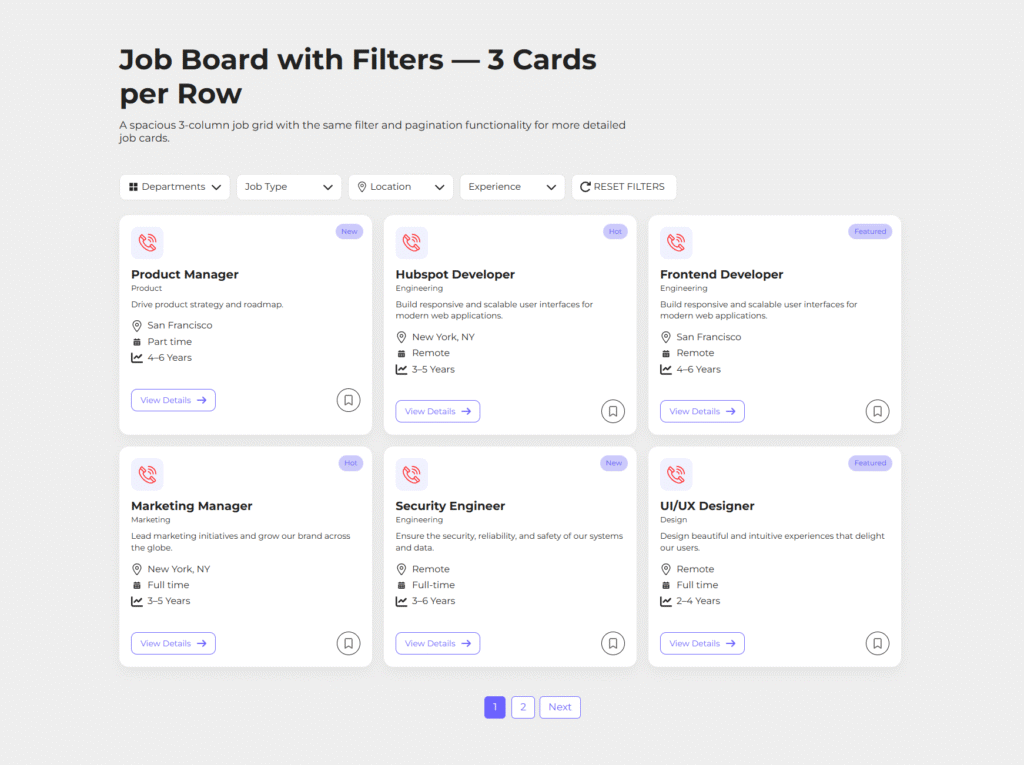
Second Layout
Job Board with Filters — 3 Cards per Row
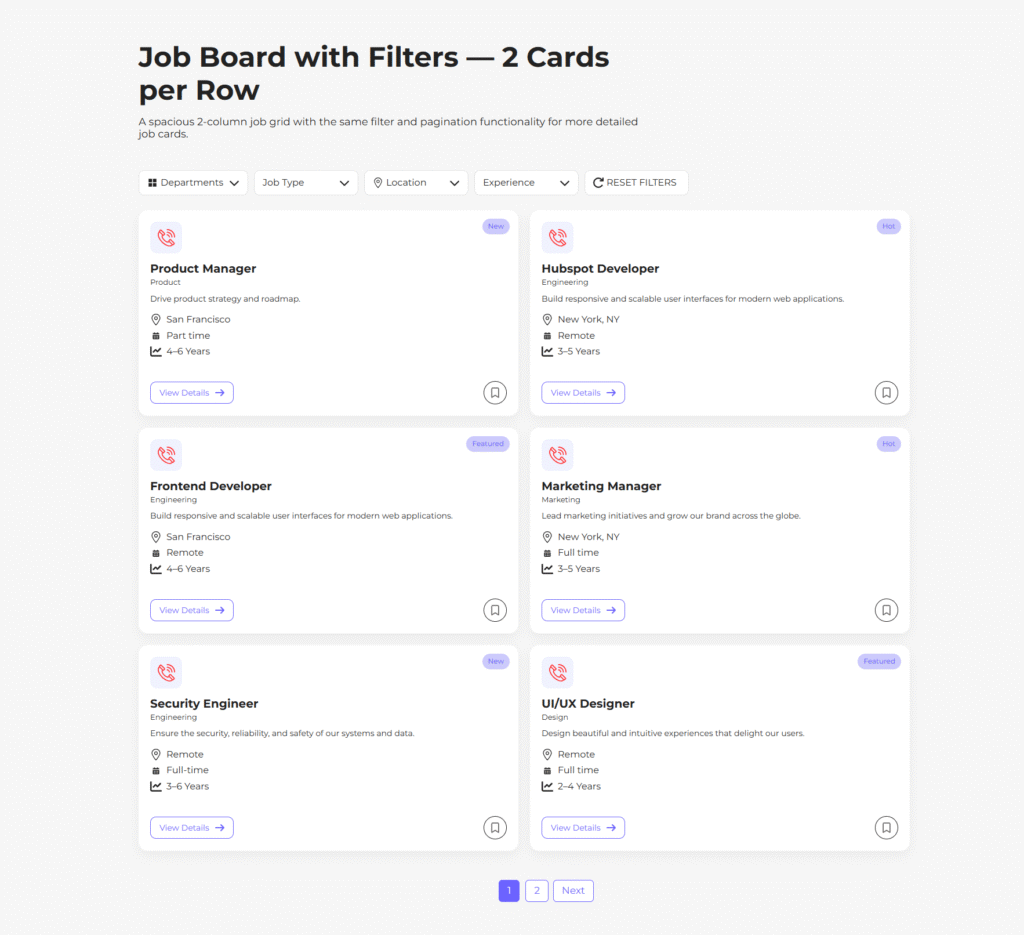
Third Layout
Job Board with Filters — 2 Cards per Row
Fourth Layout
Simple Job Board with Load More
Easily customize the overall section appearance to create a visually engaging job board. Control background colors, opacity, and spacing to ensure a clean and balanced layout across desktop, tablet, and mobile devices.
Style the filter section with custom background, border, and text/icon colors. Adjust hover and active states to provide clear visual feedback and improve user interaction.
Personalize job cards by customizing background, badge colors, icon backgrounds, and text styles. Fine-tune title, category, and description to maintain strong readability and consistent branding.
Enhance interactivity with bookmark (save job) styling, including active states and visual effects. Design buttons with custom colors, borders, and hover transitions to create a smooth and engaging user experience.
Maintain visual consistency across all elements while ensuring flexibility to match your brand identity effortlessly.