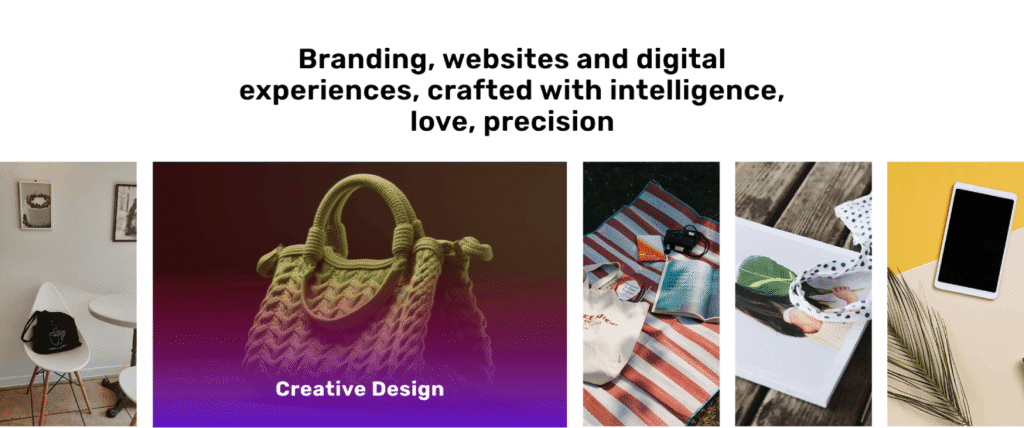
Interactive Portfolio Gallery: The Interactive Portfolio Gallery Module is a modern and highly customizable image showcase solution designed to display portfolios,
case studies, projects, and featured content in an engaging and visually appealing way. It offers three unique gallery layouts—Interactive Accordion, Clean Grid, and
Creative Asymmetric—allowing users to choose the presentation style that best fits their brand and content.
The module includes smooth hover animations, image zoom effects, and customizable overlay titles that help capture visitor attention and enhance user engagement.
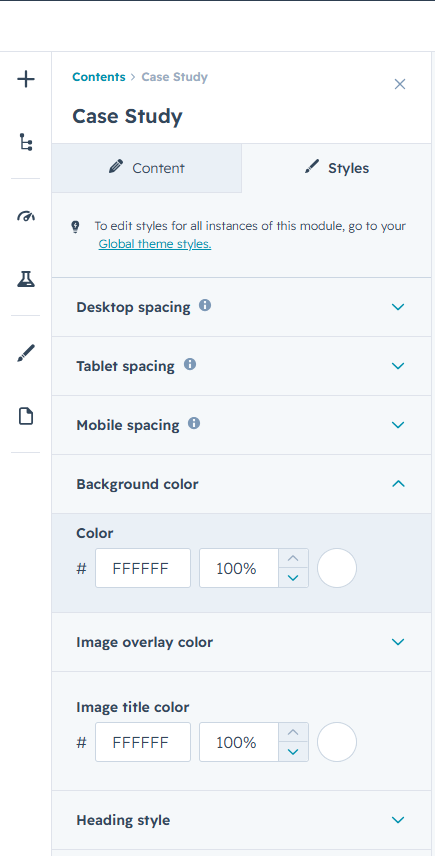
Users can easily customize backgrounds, gradient overlays, heading styles, and responsive spacing controls to match their website design and branding.
Built with a fully responsive structure, the gallery automatically adapts to desktop, tablet, and mobile devices, ensuring a seamless viewing experience across all screen sizes.
Content editors can easily add, update, and manage gallery images directly within HubSpot without requiring coding knowledge.
Its lightweight and performance-focused implementation delivers fast loading times while maintaining a premium visual experience. Whether showcasing portfolios, client success stories,
product galleries, or project highlights, the Interactive Portfolio Gallery Module provides a flexible and professional solution for presenting visual content effectively.
First Layout
Interactive Accordion Gallery
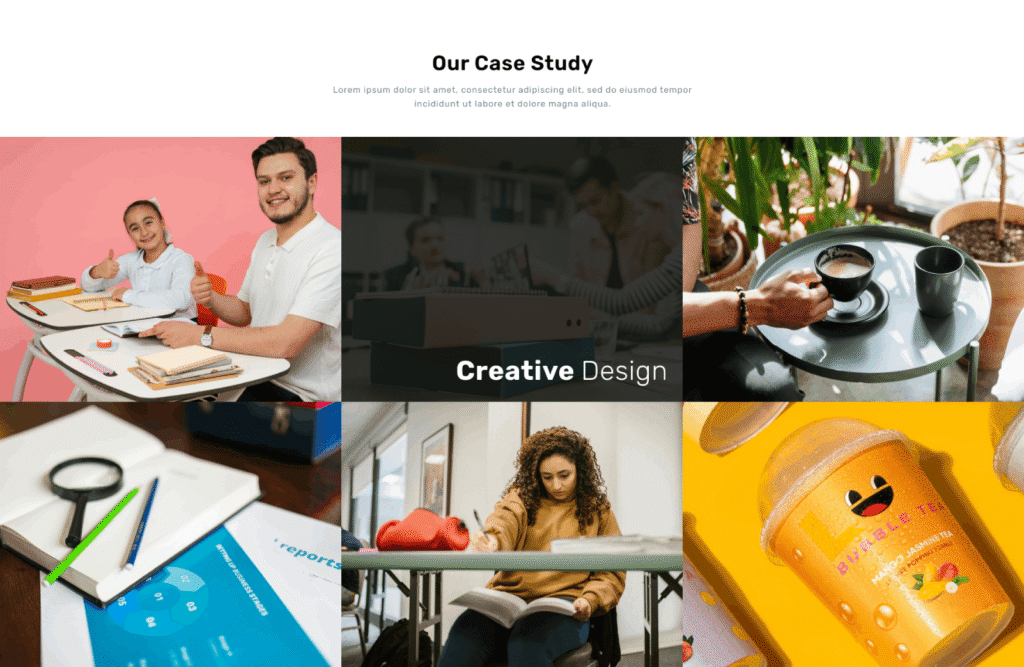
Second Layout
Classic Grid Gallery
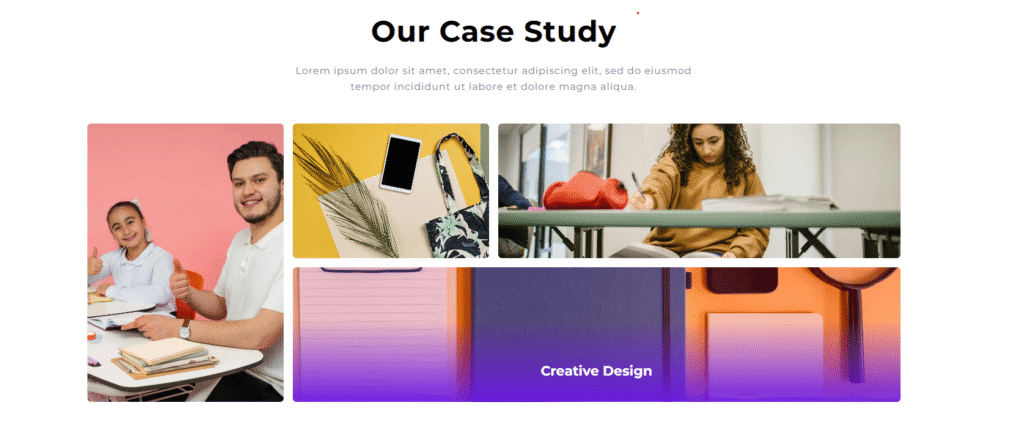
Third Layout
Creative Asymmetric Gallery
Customize the overall gallery experience with flexible controls for backgrounds, gradient overlays, spacing, typography, and section styling. Create a visually engaging
showcase that adapts seamlessly across desktop, tablet, and mobile devices.
Style gallery headings, descriptions, image titles, and supporting content with customizable colors, typography, and alignment options to maintain consistency with your brand identity and website design.
Personalize gallery items with custom image overlays, title colors, hover effects, and animation settings. Fine-tune visual elements to create a polished and professional
presentation that highlights your featured content effectively.
Choose from multiple gallery layouts, including Interactive Accordion, Classic Grid, and Creative Asymmetric styles. Each layout is designed to provide a unique visual
experience while maintaining responsiveness and usability across all screen sizes.
Enhance user engagement with smooth image transitions, hover animations, zoom effects, and dynamic content reveals. Create an immersive browsing experience that encourages
visitors to explore portfolios, case studies, projects, and featured visual content.
Control desktop, tablet, and mobile spacing independently to ensure optimal layout balance and visual consistency throughout the module.
The flexible styling options allow you to build a gallery that perfectly matches your website’s branding and design requirements.